Standard
$99.99/month
10 vehicle report credits each month. Built for independent lots with steady buying volume.
Start with StandardAt the auction, choose Price on one car to see free ranked exit estimates from Carvana, CarMax, and AutoNation, then use optional Title + Book when you want the title and history report. Buy the car, walk around it with your phone, and it is for sale the same afternoon.
Standard $99.99/month · High Volume $329/month · same full feature set · card-on-file 14-day trial with one lifetime vehicle report
About two minutes: buy it right, then list it the same day. Standard $99.99/mo (10 reports) · High Volume $329/mo (50) · card-on-file 14-day trial with one report.
Five things happen to every car you buy. Here is what that looks like.
The plugin sits on the run list you already scroll. Choose Price on one car for free ranked exit estimates; choose the separate one-credit Title + Book action when you want the title and history report.
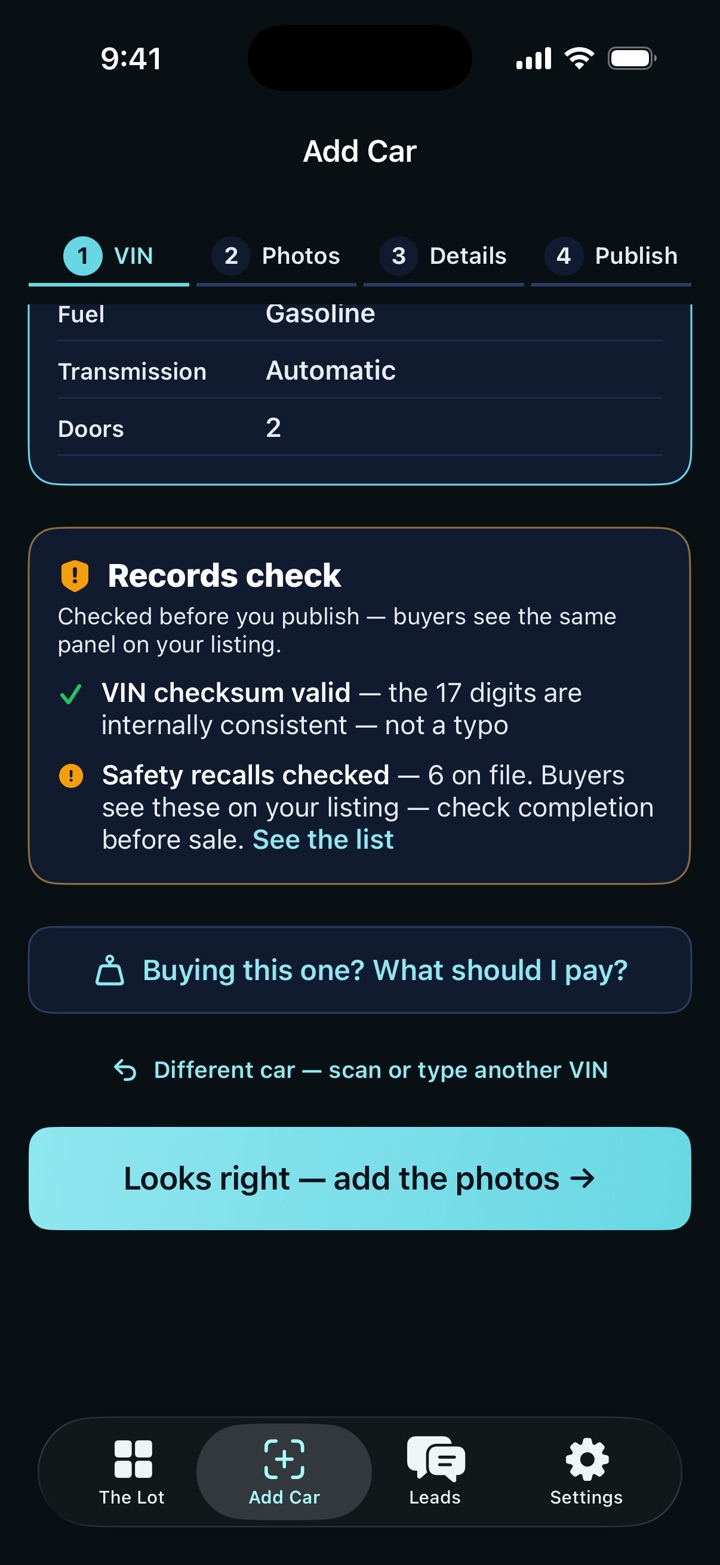
Scan or type the VIN. SaneLot tells you the number is real, lists the safety recalls on file, and says whether the mileage makes sense for a car that age. Buyers see the same panel later, so nothing looks buried.
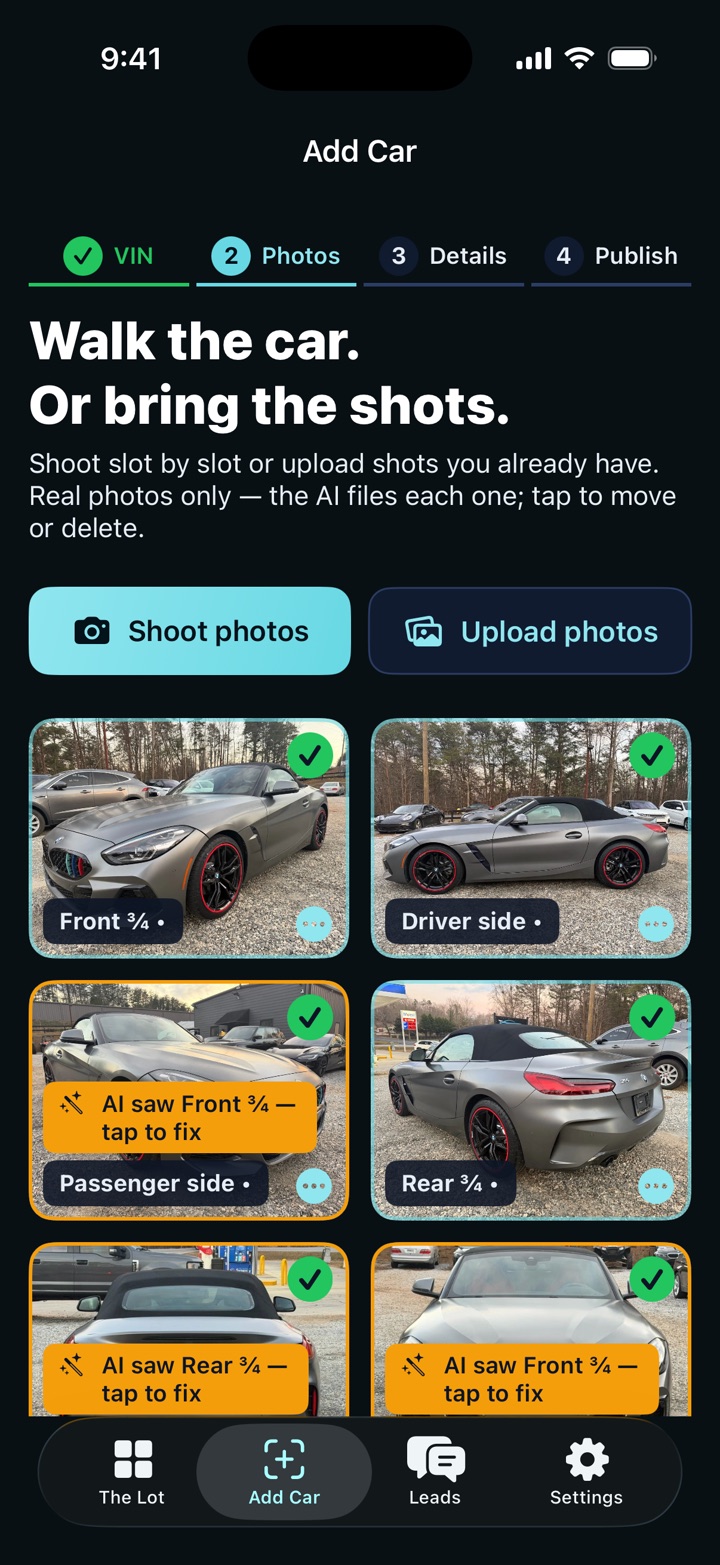
Walk the car slot by slot, or upload the shots you already took. The app names each angle, tells you which one is missing, and will not publish a car whose pictures never finished uploading.
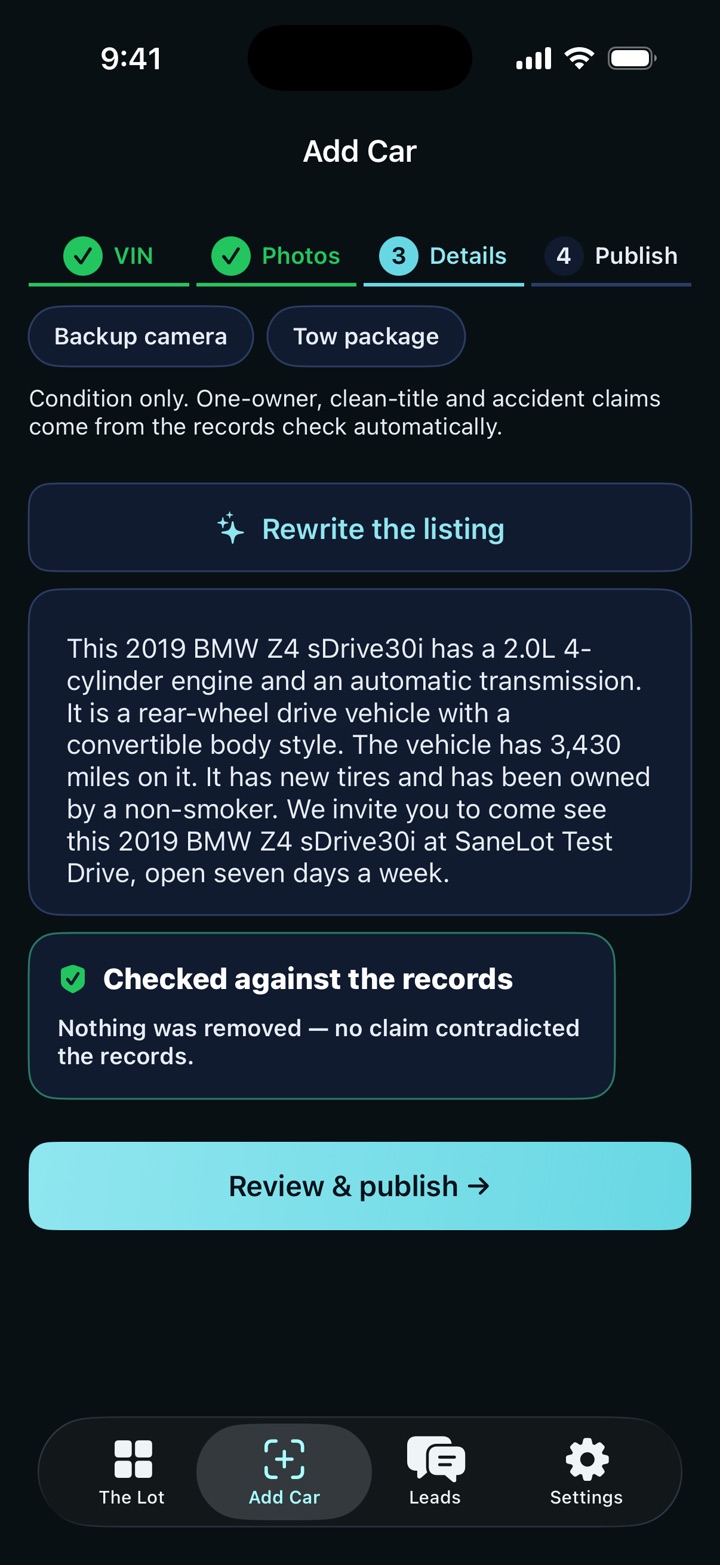
SaneLot drafts the description from what you entered and what the records show. Any number it cannot back up gets cut. Claims like “one owner” and “clean title” stay locked until records support them. You edit it and approve it before anything goes out.
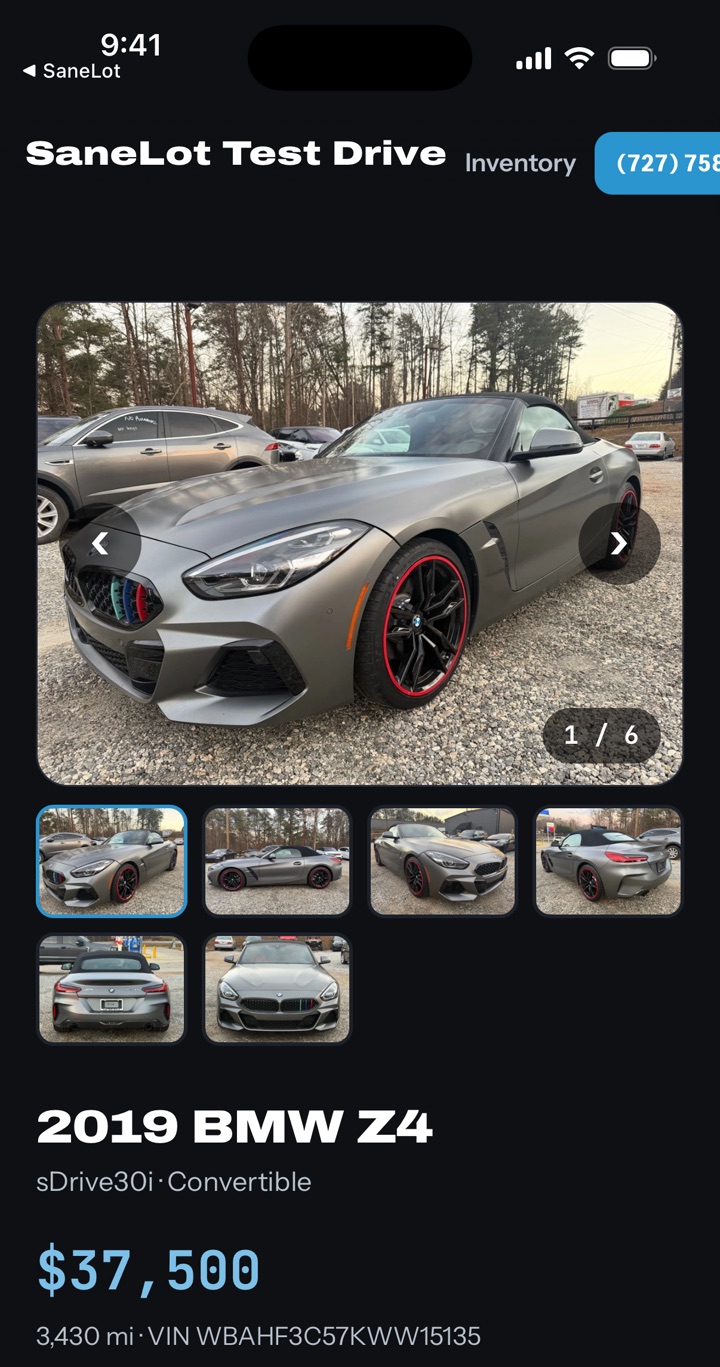
The car goes up with its photos, price, mileage and VIN. SaneLot also provides scheduled feed files for CarGurus, Facebook Automotive, and standard CSV recipients; the dealer or receiving provider must configure ingestion. SaneLot checks the page and the pictures really loaded before it tells you the car is live.
When someone asks about it, the message arrives attached to that car, so you know which one they mean. Nothing goes to a buyer unless your team sends it. Sell it Saturday, mark it sold, and it comes off your site and your feeds.
Walk-away numbers before you bid: free ranked exits, then Title + Book when you want the report. Chrome on CarMax, Velocicast, ACV, EBlock, OPENLANE / ADESA / TradeRev, America's Marketplace, BacklotCars, SmartAuction, Copart, IAA, and ServNet. iPhone or iPad paste-or-scan VIN from any sale.
Named photos, a fact-checked ad, a lot page in your name, feed files for CarGurus, Facebook Automotive, and CSV, leads on that car, and a sold switch. Window sticker, recon/cost log, Marketplace/Craigslist paste copy, web desk, and team logins sit in the same plan. The dealer or receiving provider must configure ingestion.
The work happens either way. The question is how many tabs, spreadsheets, and stale listings it takes.
Swipe the table to see both columns.
Scheduled feed files go to CarGurus, Facebook Automotive, and CSV recipients; the dealer or receiving provider must configure ingestion.
Comparing vendors? SaneLot vs vAuto, Carbly, DealerCenter and doing it by hand
Pick a plan by how many cars you buy, not by which buttons you get. Both plans are the same product: auction numbers, photos, write-up, your lot site, feeds. Card on file, 14 days, one vehicle report.
10 vehicle report credits each month. Built for independent lots with steady buying volume.
Start with Standard50 vehicle report credits each month. The same features, with a lower cost per included credit.
Start with High VolumeStart the 14-day trial. First car: Price it on the run list, photograph it, approve the write-up, publish before you leave the building.
Trial14 days and one lifetime vehicle report. Card required.
Add-onAdd 25 report credits for $149.
Credit rulesIncluded credits reset monthly. Purchased credits roll over. Reopening a saved report uses no credit.
Your inventory exports to a standard CSV whenever you want it. You are billed monthly on the web, so leaving is easy. We do not sell your leads to anyone. Questions go to the person who built it.